 This article details how to get Website Statistics for your own website, hosted on web.ncf.ca.
¶ Advanced Web Statistics
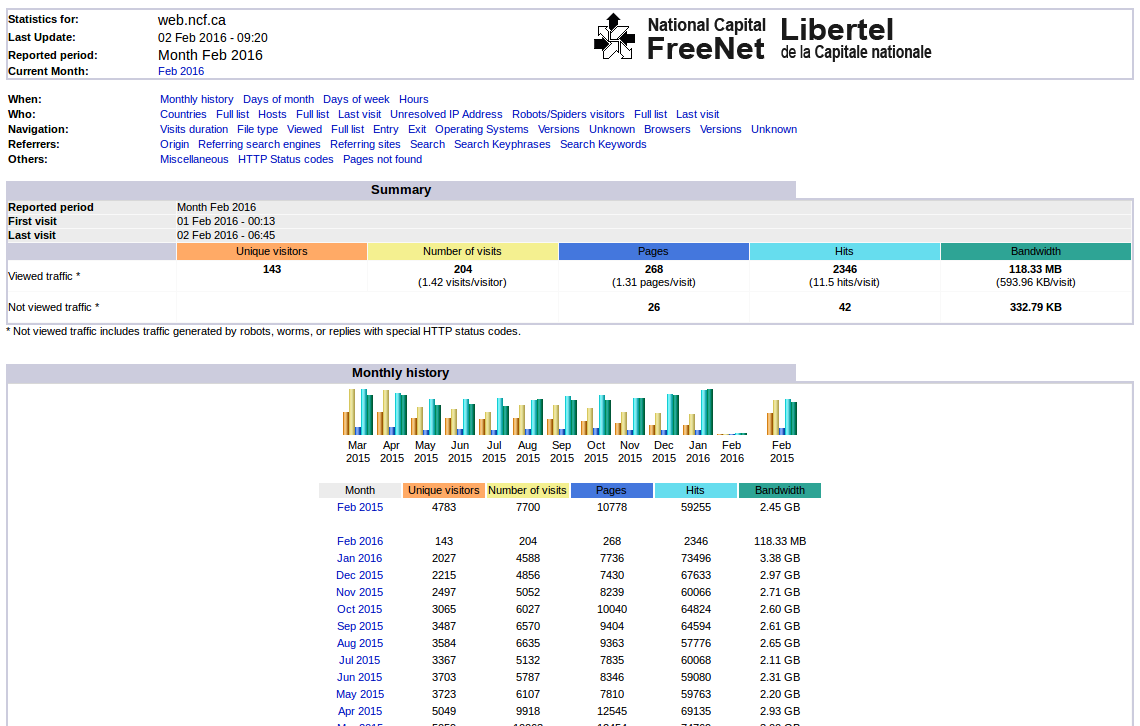
By default all websites hosted on web.ncf.ca have Advanced Web Statistics (AWS) enabled. This is a basic package of statistics that gives information about such parameters as:
- hits per page
- operating systems and browsers that visit
- screen resolutions
- country of origin
- IP addresses
To access these statistics go to the start page and click on Your Web Space → Your web page traffic or this link.
Note: AWS may take a minute or two to produce your custom statistics page.
¶ Matomo statistics
Webmasters who need more advanced statistics can request that the open source Matomo (formerly called Piwik) analytics be added to their account.
Websites with Matomo activated will have the javascript code added to their pages at the end, just above the <html> tag by the NCF webserver when the page is uploaded. You will be able to see the code added, by viewing the web version of the page in your browser and then selecting Ctrl+U to view the page source code.
The javascript code snippet will be provided once your Matomo access has been enabled.
Your NCF statistics will then include much more detailed data from Matomo.
Matomo users should select “Member log: userID” to view usage statistics and schedule email reports, as the other option does not work.
¶ Requesting Matomo
Matomo has to be activated manually on your web space. This can be requested with an email to office@ncf.ca.
¶ Deactivating Matomo
Matomo has to be deactivated manually, too. This can also be requested with an email to office@ncf.ca.
¶ See also
- Hosting services, for general information on NCF web space
- Publishing Web Pages, a basic how-to