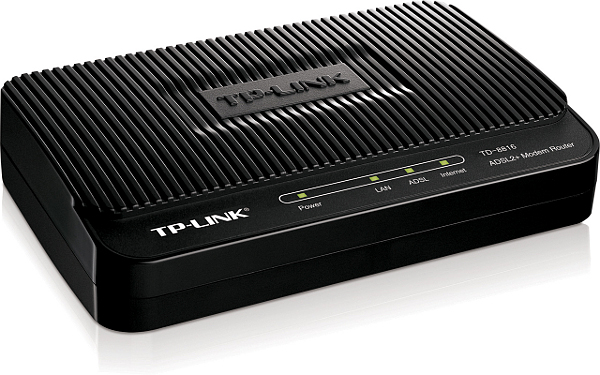
¶ ⚠ Vulnerable to Misfortune Cookie: Upgrade Firmware ⚠
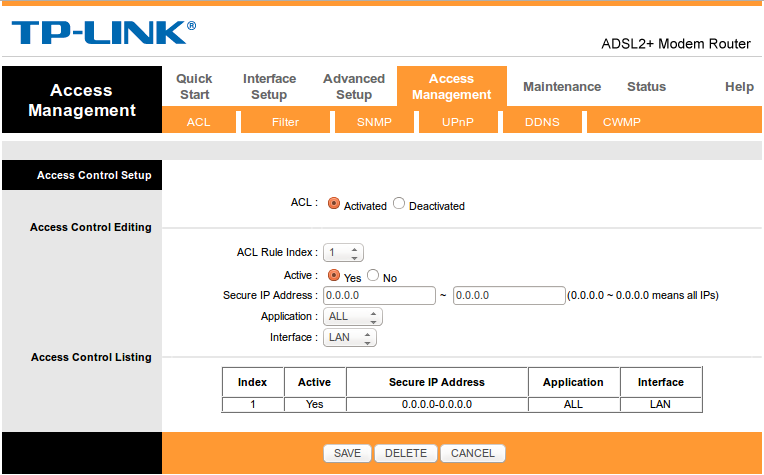
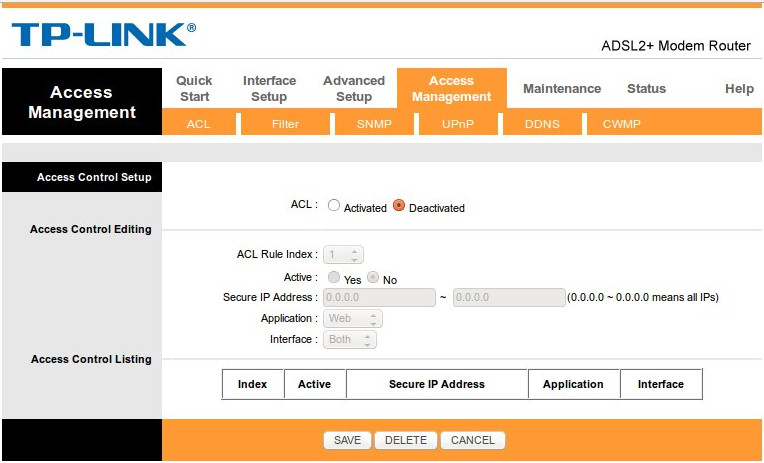
In December 2014 it was revealed that some versions of this TP-Link model are subject to hacking if they are running outdated firmware and if the remote access (ACL) is set to allow remote access. We documented this vulnerability on the Misfortune Cookie Vulnerability page.
Read more on the Misfortune Cookie as reported in http://www.kb.cert.org/vuls/id/561444.
NCF Recommendation for this modem:
- Upgrade the Firmware to the lastest version if available.
- Also, Deactivate ACL from Access Management → ACL.
- If there is no firmware update for your version, replace the modem.
¶ Configure as router
This is the procedure NCF uses to configure a TP-Link 8816 modem out of the box or after a factory reset. To learn more about configuring your particular modem, consult the manual.
- Connect power and turn on the modem with the black button on the back.
- Connect an Ethernet LAN cable to the yellow rear port
- In the browser’s address bar, enter the IP address for the modem interface page: 192.168.1.1
- If the modem is fresh from the factory, use the default user name and password to gain access
- user: admin
- password: admin
If the modem was previously configured for someone, the password would be the previous user’s DSL password. If it is unknown then do a reset to factory default, using a paper-clip in the reset hole on the back. Hold for 15 seconds to reset. The user name and password will now be as above.
¶ Using Quick Start Wizard
| DSL Quick Configuration Info (TP-Link DSL modems) |
|---|
| Modem Web Interface |
| Modem login |
| VPI / VCI (ADSL) |
| VLAN (VDSL) |
| Protocol |
| DSL username |
| DSL Password |
| Firewall |
| Wireless |
- When presented with the TP-Link configuration page, select the Quick Setup option at the top left.
- Select Run Wizard to proceed.
Now a window pops open and you can begin to set up the details of the interface.
- Select Next to proceed
- Set the Time Zone Eastern
- Click Next
The 8816 can be set-up as either Bridge mode or Router-PPPoE mode. Bridge mode is used when it will be connected to a separate router. Router mode is used when it will not be connected to a separate router. Read more on the Bridge versus Router mode decision.
- If Bridge Mode:
- Select “Bridge”
- Click Next
- Ensure settings are VPI is set to 0 and VCI is set to 35
- Leave connection type at default of IP LLC
- Click Next
- If Router Mode:
- Select PPPoE/PPPoA
- Click Next
- Username MUST be in the form ab123@ncf.ca (NOTE the “@ncf.ca” part! - it will not work without that!)
- Password uses DSL Password (This is not your NCF account password, but your DSL password and was provided to you when you signed up for service, it starts with “ncf…”)
- Ensure settings are VPI is set to 0 and VCI is set to 35
- Ensure that the encapsulation remains at PPPoE LLC (default)
- Click Next
- Click Finish
The modem should now synchronize and connect to your DSL service if the service is operating. You may need to reboot the modem to get it to connect.
¶ Security
¶ Turn on SPI firewalling
- In Advanced Setup select Firewall.
- SPI: Enabled
¶ Deactivate ACL
In January 2014 it was revealed that some models of TP-Link modem, including this model, are subject to hacking if they are running out dated firmware and if the remote access (ACL) is set to allow remote access. This page provides more detailed information on the vulnerability. Latest firmware versions can be checked on the TP-Link website.
Some older TP-Link modems were shipped from the factory with the ACL activated. This should be checked and if activated then deactivated at Access Management → ACL.
¶ Protect Admin Role
- Click on Maintenance in the menu along the top of the page. Below it other options appear.
- Select Administration
- For the admin user use your DSL-Password or another strong password.
- Enter it once and again below to confirm
- Save the changes with Save
A pop-up log-in screen appears, and asks for sign-in. Use the User-ID admin and the DSL-Password just set. Return to the same configure page you were just at.
¶ Set Daylight Savings Time
- In Maintenance select Time Zone.
- Daylight Saving: Enabled
¶ See Also
- NCF modem instruction sheet
- Dynamic DNS
- Modem Configuration - for a complete list of instructions for all NCF modems
- Port forwarding
- VOIP