Summary of Configuration Information and Changes |
Modem Login Page: Modem Administrator User Name: Modem Administrator Password: |
Where to go in Menu: |
Changes: |
1. Navigate to 192.168.1.254 and type in the username Administrator and the password that was given to you.
2. Click on Home Network on the left-hand side. 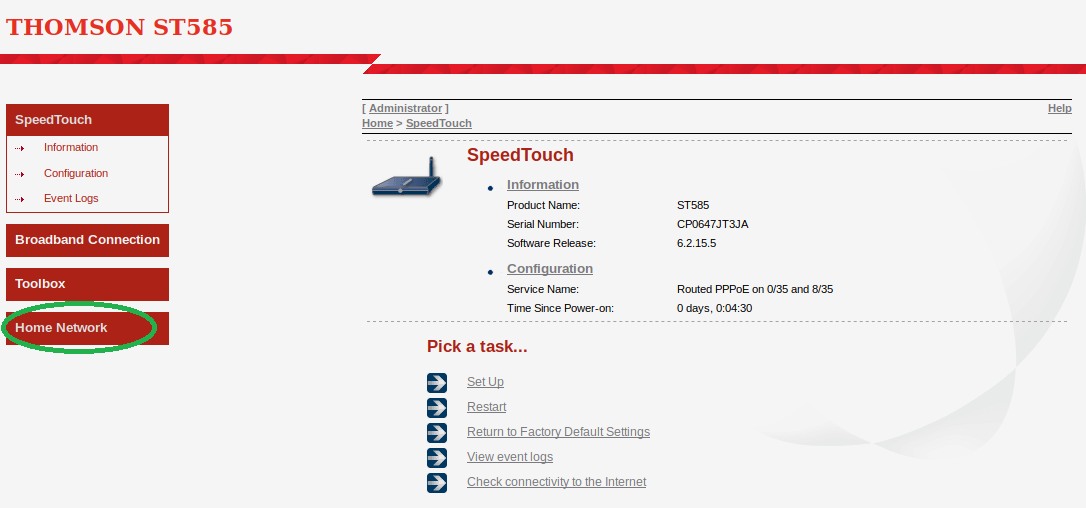 3. From the Home Network page, click on your WiFi network name like WLAN: NCF_XXXX.
 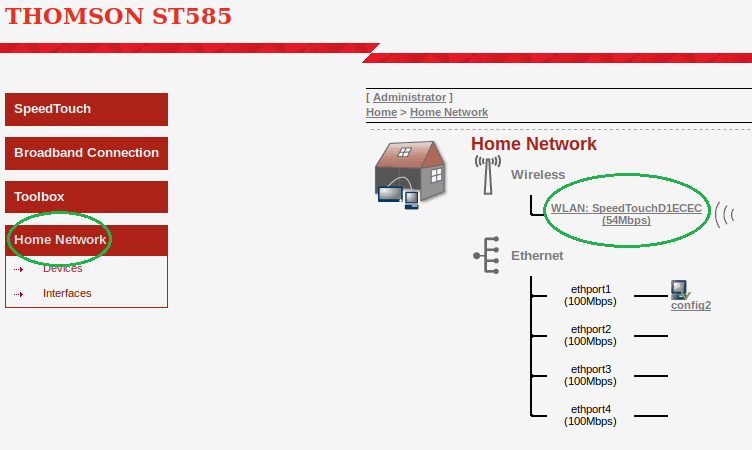 5. From the Wireless Access Point page, click on Configure at the top right corner.
 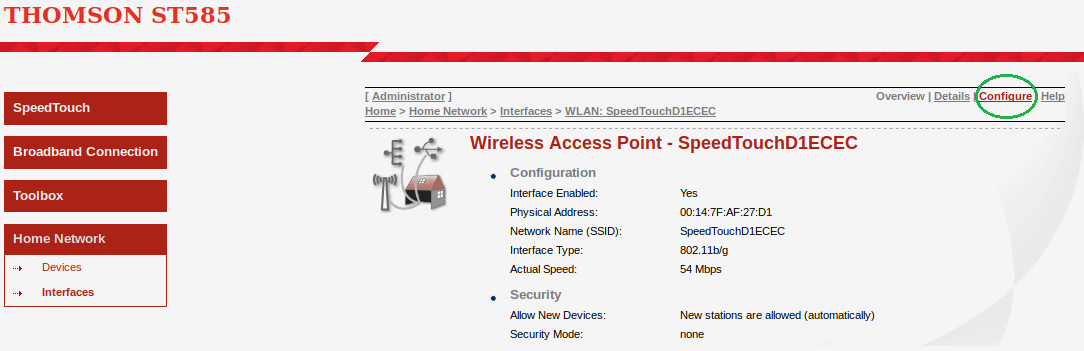 6. From the Wireless Access Point Configuration page, change the Interface Type from 802.11b/g to 802.11g and Channel Selection from Automatic to Manual
 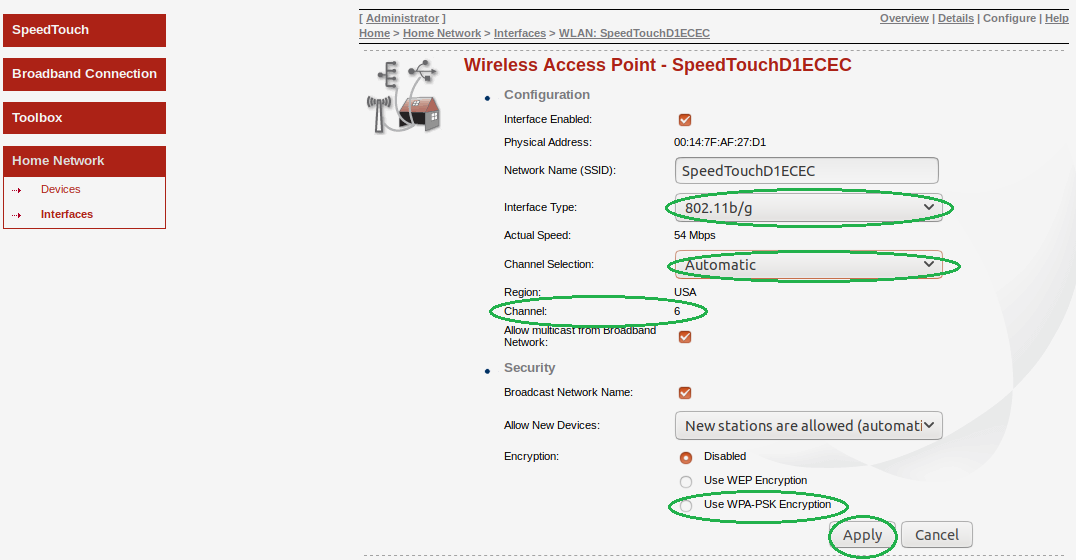 7. The Channel option should now turn into a dropdown. Select the channel with the least interference as determined by your wireless interference tests. Try 3,4, 8 or 9.
 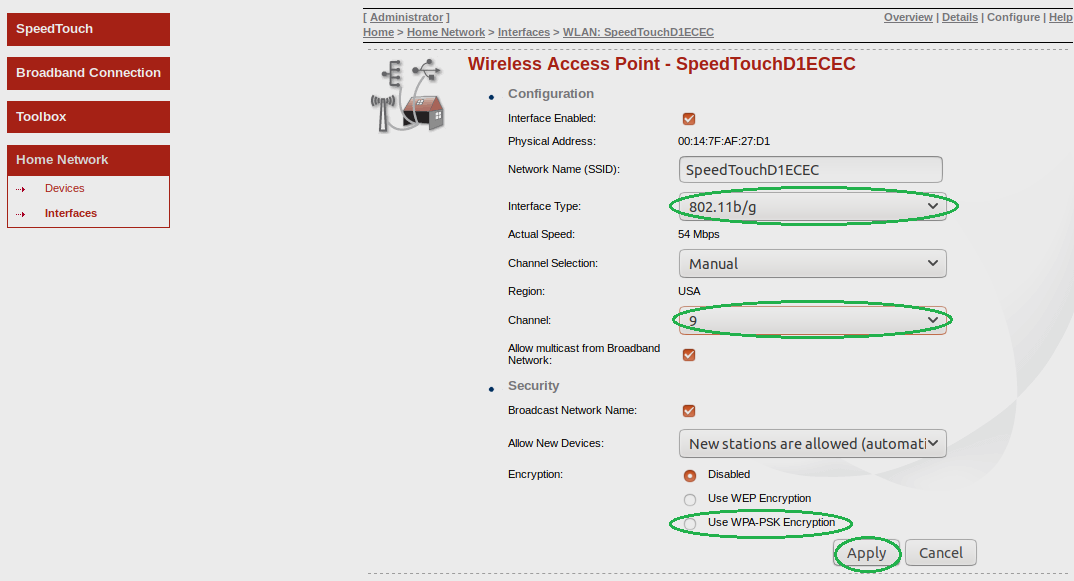 8. Ensure the encryption is set to WPA - PSK Encryption and select Apply at the bottom right.
Notes:
- Wireless channels shouldn’t have to be changed often (more than once every 6-12 months). If you find yourself making these changes too frequently, you may have to invest in a mid to high end router with additional channels on the 5Ghz frequency. Contact support@ncf.ca for recommendations if needed.
¶ See Also
- Modem Configuration - for a complete list of instructions for all NCF modems
- SpeedTouch Configuration
- About SpeedTouch modem lights
- Thomson Modem Manuals - For modem manuals including firmware and emulators for Thomson and SpeedTouch gateways
¶ External links
- Wireless Spectrum Conundrum Basic Wireless Spectrum Information, by Lou Frenzel, Electronic Design
- 4 Reasons Why Your Wi-Fi Is So Slow (And How to Fix Them) by James Frew, Make Use Of
- How to Stay Safe When Using Public Wi-Fi, by Steve Sande, Rocketyard
- How easy is it to capture data on public free Wi-Fi? by Gary Sims, Android Authority