Ovislink OV501GF
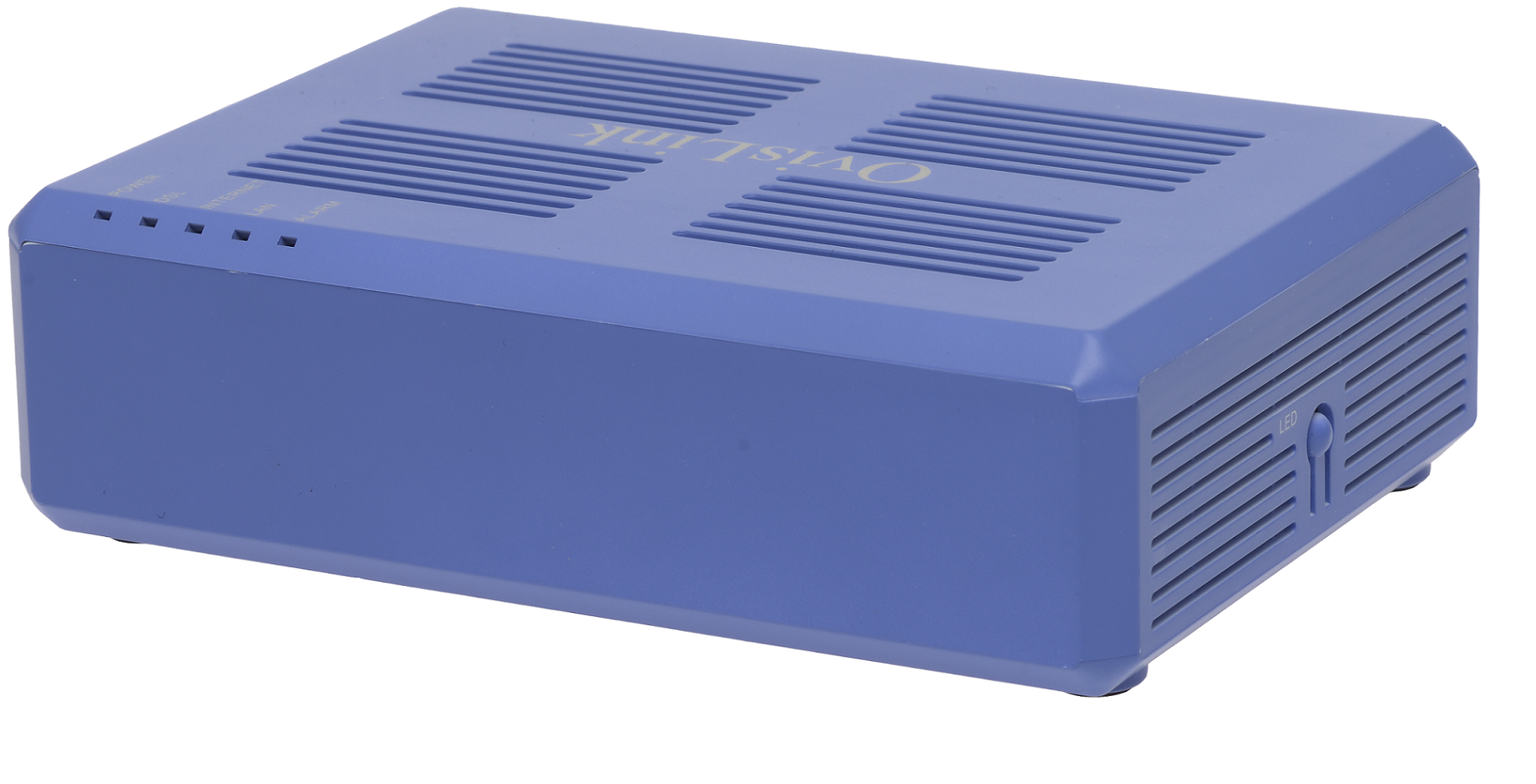
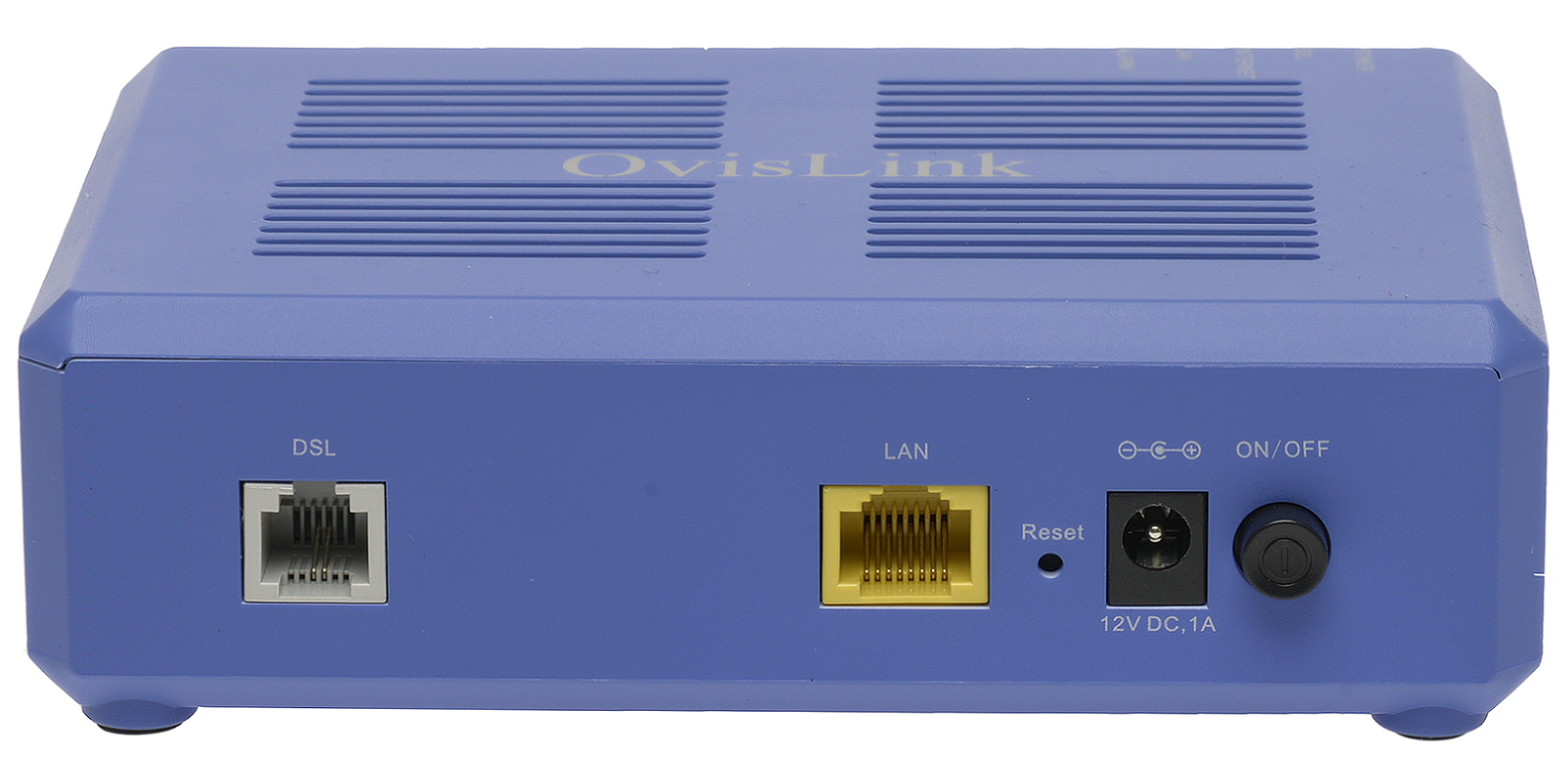
Your Ovislink modem can be configured for Routed or Bridged Operation by a custom configuration file. The custom configuration will include parameters specific to your NCF account.
1. Request a custom configuration file from support@ncf.ca and save it at a location you will remember.
¶ Log into Modem Web Interface
Note: You might need to set a static IPv4 address manually on your computer with the gateway IP set to http://192.168.1.1 to log in to the modem.
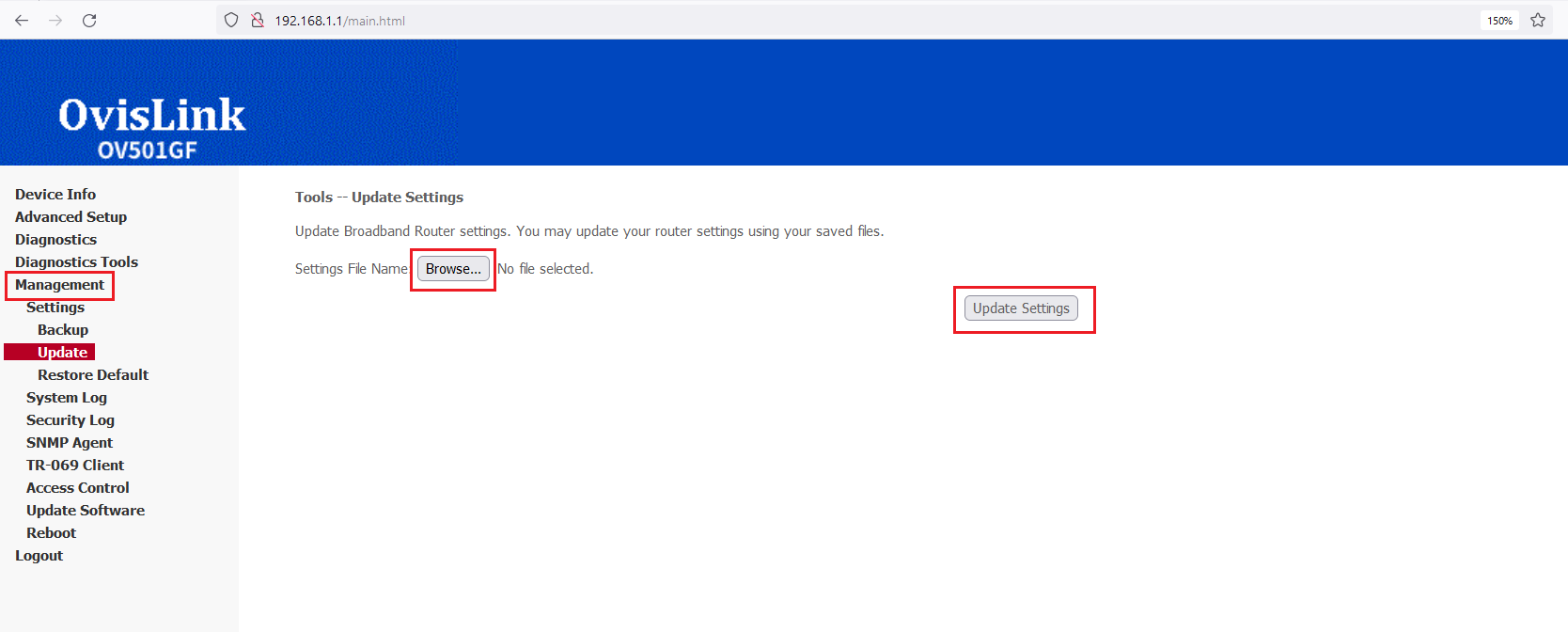
2. Enter http://192.168.1.1 info the address bar at in your web browser. Login with username: admin and password: admin (if your modem has been properly reset. If not try your NCF DSL password). 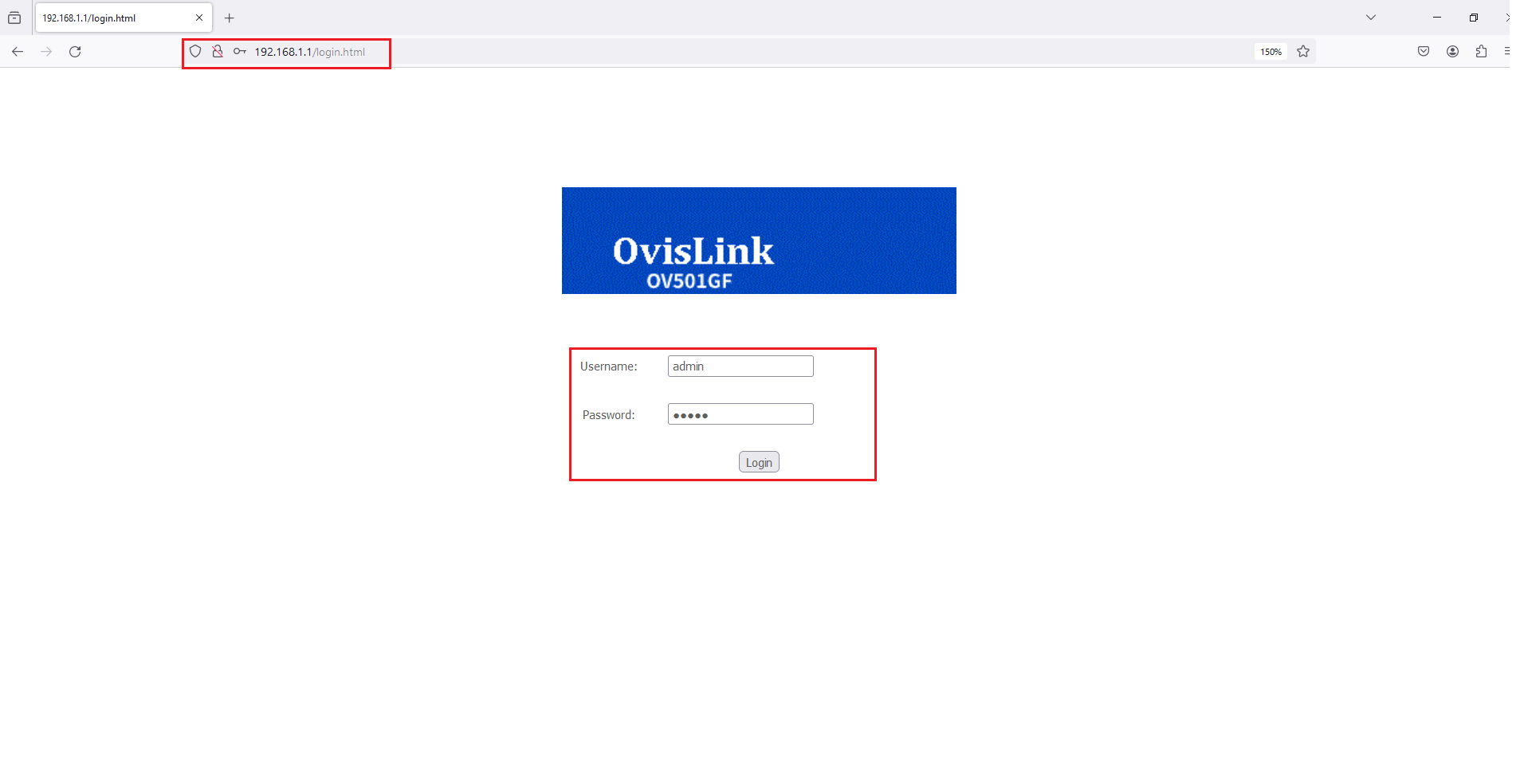 3. Go to the Management Menu link, and then click on the Settings sub-menu link and then on the Update.
Click on the Browse button (in the Update Broadband Router Settings section) and navigate to the custom configuration file you saved.
- Click on Update Settings.
 4. Once the file upload begins, it can take 2 to 5 minutes to be completed and for your modem to be fully connected online. Resist the urge to make changes to the modem’s configuration during this time.
¶ See Also
Modem Configuration - Instructions for all NCF modems